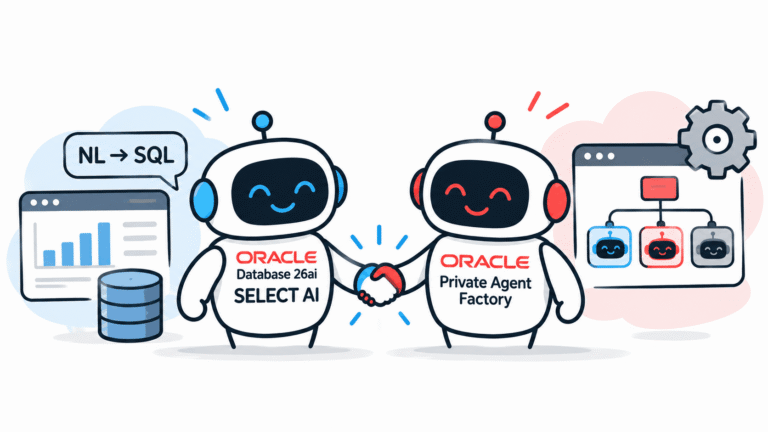
This is the introduction to my blog in eight chapters on using Select AI Agents in Oracle Private Agent Factory. It answers one question: how do Select AI Agent in Autonomous Database 26ai and Oracle Private Agent Factory (OPAF) fit together? I take one sales analyst over my OA Bootcamp sales schema (OABOOTCAMP) and build it six ways in OPAF: plain Select AI, the in-database agent team called natively, the same team built visually without PL/SQL, two flows through the Autonomous Database built-in MCP server, and a native routing flow. Every flow returns the same numbers, because the business definitions live in the database, not in the agent.
When I started, I only wanted to try out how Select AI Agent works with OPAF. It turned into quite an exploratory journey: each experiment opened another way to connect the two, and I ended up with six scenarios. I doubt these are all; there are most likely alternatives I haven’t explored yet.
What the chapters cover
- Preparing the data: validating joins, collecting exact literals, business rules and table and column comments as the semantic layer.
- Connecting to the LLM: IAM, resource principal and the Select AI profile on OCI Generative AI.
- Select AI Agent: tool, agent, task and team in PL/SQL, verified against hand-written SQL.
- Native OPAF nodes: the Select AI and In-Database Team nodes, and the same team built on the canvas with no PL/SQL.
- MCP: the Autonomous Database built-in MCP server and two OPAF flows on top of it.
- Routing: one OPAF agent choosing between fast NL2SQL and the in-database team with Select AI Bridge.
Architecture: one database, six front ends
In all six flows, natural language is turned into SQL inside the database by Select AI. OPAF is always the front end. What changes from flow to flow is how OPAF reaches the database and who plans the analysis.
| Flow | OPAF building blocks | How OPAF reaches the database | Who plans the analysis |
|---|---|---|---|
| C1 | Select AI node | Database connection (wallet) | Nobody (one question, one SQL statement) |
| C2 | In-Database Team node, existing team | Database connection (wallet) | Select AI Agent in ADB |
| C3 | In-Database Tool, Task, Agent and Team nodes, created on the canvas | Database connection (wallet) | Select AI Agent in ADB |
| A | Agent node + MCP server node (SALES_NL2SQL) |
ADB built-in MCP server | OPAF agent |
| B | Agent node + MCP server node (ASK_SALES_ANALYST) |
ADB built-in MCP server | Select AI Agent in ADB |
| D | Agent node + two Select AI Bridges (Run SQL, Team) | Database connection (wallet) | OPAF agent routes; the in-database team plans analytical questions |
My environment:
- Autonomous AI Database (ADW) 26ai, version
23.26.4.1.0, public endpoint (“Allow secure access from everywhere”) with mTLS required for SQL*Net connections - OCI Generative AI in Germany Central (Frankfurt), model
openai.gpt-oss-120b, used both by the Select AI profile in the database and by the Agent nodes in OPAF - OPAF 26.7 on OCI, in a private subnet
Chapters
 Part 01Chapter 1: Making a star schema Select AI-readyPart 02Chapter 2: Connecting Autonomous Database to OCI Generative AIPart 03Chapter 3: Building a Select AI Agent team in PL/SQLPart 04Chapter 4: Select AI and the in-database team as native OPAF nodesPart 05Chapter 5: No-code Select AI AgentPart 06Chapter 6: The ADB Built-in MCP ServerPart 07Chapter 7: OPAF Agents over MCPPart 08Chapter 8: Routing with Select AI Bridge
All six flows compared
In the table, DB means a database connection with the wallet, and ADB team means the Select AI Agent team running in the database.
| C1 | C2 | C3 | A | B | D | |
|---|---|---|---|---|---|---|
| Connection | DB | DB | DB | MCP | MCP | DB |
| LLM in OPAF | none | none | none | plans, calls tools | routes only | routes between bridges |
| Planning | none (one SQL) | ADB team | ADB team | OPAF agent | ADB team | ADB team for analytical questions |
| Multi-step | partial (winner only) | full | full | full | full | full |
| Exact numbers | rounded (Narrate) | yes | yes | yes | yes | yes (team rounds to whole dollars) |
| Shows SQL | yes (Show SQL) | no | no | yes (showsql) |
no | no (declines) |
| Guardrail | enforce_object_list (raw ORA error) |
agent role | agent role | OPAF scope rule | OPAF scope rule | OPAF scope rule |
| Typical time | 4–9 s | 9–19 s | 11–18 s | 12–20 s | 23–25 s | 7–19 s |
All flows that answer return the same numbers: the business definitions live in the database, so every path (native node, MCP or routing) gets the same semantics.
Key takeaways
- Most of the effort is in the data: a schema with no constraints and no comments gives Select AI nothing to work with.
- Rules in comments and role text are guidance, not enforcement. Stating them positively,
temperature0 and one grouped query made the agent repeatable; I check agent answers against hand-written SQL before every demo. - The native Select AI nodes are the fastest way to run a database agent from OPAF; MCP opens the same agent to any MCP client.
- In OPAF agent instructions, the scope rule goes first.
- An OPAF agent that cannot get SQL from a tool may invent a plausible query, so I give it an explicit rule to decline instead.
Useful links and documentation
Oracle documentation:
- Select AI: getting started
- Manage AI profiles
- DBMS_CLOUD_AI package
- Select AI Agent
- How do I use Select AI Agent
- DBMS_CLOUD_AI_AGENT views
- Use the Autonomous AI Database MCP Server
- Prerequisites for the MCP Server
- Use resource principal to access OCI resources
- OpenAI gpt-oss models in OCI Generative AI
- Oracle AI Database Private Agent Factory documentation
Oracle blogs and product pages:
- Announcing the Oracle Autonomous AI Database MCP Server
- Build your agentic solution using Oracle ADB Select AI Agent
- Announcing Oracle Select AI pre-built AI agents
- Accessing OCI resources from your Autonomous Database using resource principal
- Oracle AI Database Private Agent Factory: Enterprise FAQ
- Oracle AI Database Private Agent Factory product page
- Oracle AI Database Private Agent Factory: MCP, Orchestration, and Multi-Agent Workflows in Practice
- LiveLabs workshop: The Private Agent Factory: Turn Data into Action
Model Context Protocol:
This article was first published on my personal blog, zigavaupot.blogspot.com.