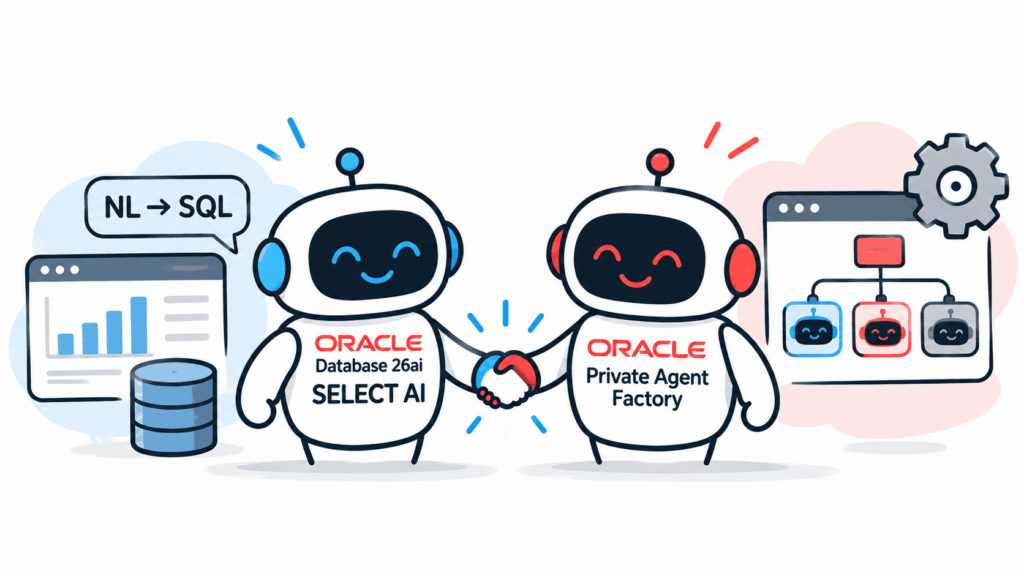
With the Select AI profile from Chapter 2 and the agent team from Chapter 3 in the database, the simplest way to put them in front of users is OPAF’s own Select AI nodes. They talk to the database over a database connection, with no MCP server, no wrapper functions and no LLM in OPAF.
In this chapter I build two minimal OPAF Custom Flows: C1 runs plain Select AI with the Select AI node, and C2 runs the in-database team with the In-Database Team node. Both get the same three test questions, which I reuse for every flow in the following chapters.
The Select AI node group
OPAF Custom Flows have a Select AI node group, plus one related node in the Tools group. Searching the component list for “SELECT” shows all of them:
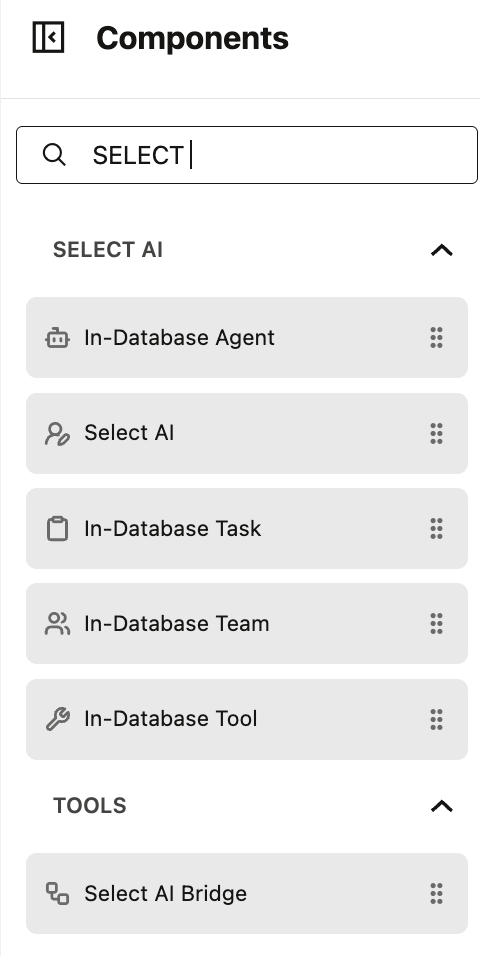
- Select AI: runs a Select AI profile with one action (Run SQL, Show SQL, Explain SQL, Narrate, Chat or Show prompt). Used in flow C1 below.
- In-Database Team: runs a Select AI Agent team (flow C2 below).
- In-Database Agent, In-Database Task and In-Database Tool: the agent, task and tool objects of a team, wired into an In-Database Team node (Chapter 5).
- Select AI Bridge (Tools group): wraps a Select AI profile and action, or an in-database team, as a tool for an OPAF Agent node, so an OPAF agent can decide when to call it (Chapter 8).
The In-Database nodes each offer two modes. Choose existing uses a Select AI Agent object that is already in the database, such as the team I built in PL/SQL in Chapter 3. + Create new defines a new object in the node form, and OPAF creates it in the database as the user of the database connection. So Select AI Agent objects (tools, tasks, agents and teams) can be created directly from OPAF, without writing any PL/SQL. This chapter uses Choose existing; Chapter 5 builds a complete team with Create new.
Database connection
The nodes need a database connection registered in OPAF. My ADW requires mTLS, so I registered it with the wallet:
- ADW details page → Database connection → Download wallet → Instance wallet, with a wallet password.
- In OPAF, add a database connection
adw001with the wallet, userOABOOTCAMPand its password.
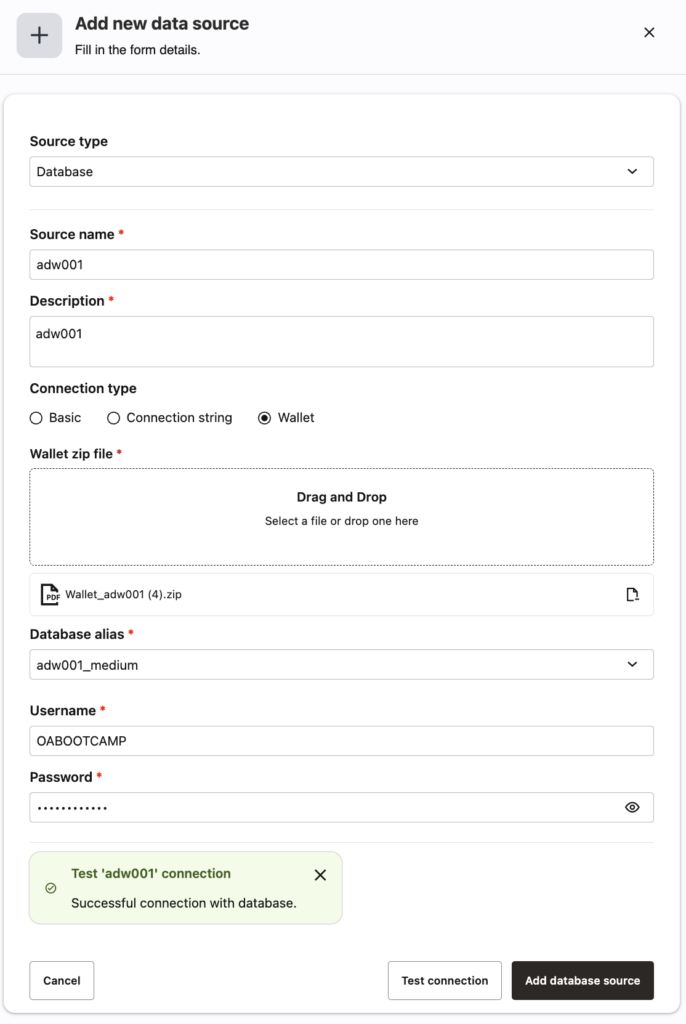
Connecting as OABOOTCAMP matters: the nodes list the Select AI profiles and agent objects owned by the connected user.
Test questions
I test every flow with the same three questions:
- Which sales channel had the highest profit in 2025?: a simple lookup.
- Compare profit in 2025 vs 2024 by sales channel and tell me which channel improved the most: a multi-step comparison.
- What is the capital of France?: an off-topic question the assistant must refuse.
The correct answers to the first two are the ground truth from Chapter 3: Store has the highest 2025 profit ($3,498,467.01) and the largest improvement (+$1,275,247.94).
Flow C1: Select AI node
Chat input ──► Select AI ──► Chat output- Choose database:
adw001 - Choose profile:
OABOOTCAMP_AI - Select AI action: Narrate, which runs the generated SQL and returns a natural-language answer
The other actions are Run SQL (result data), Show SQL, Explain SQL, Show prompt and Chat. Chat sends the prompt straight to the LLM without touching the database, so it is not suitable here.
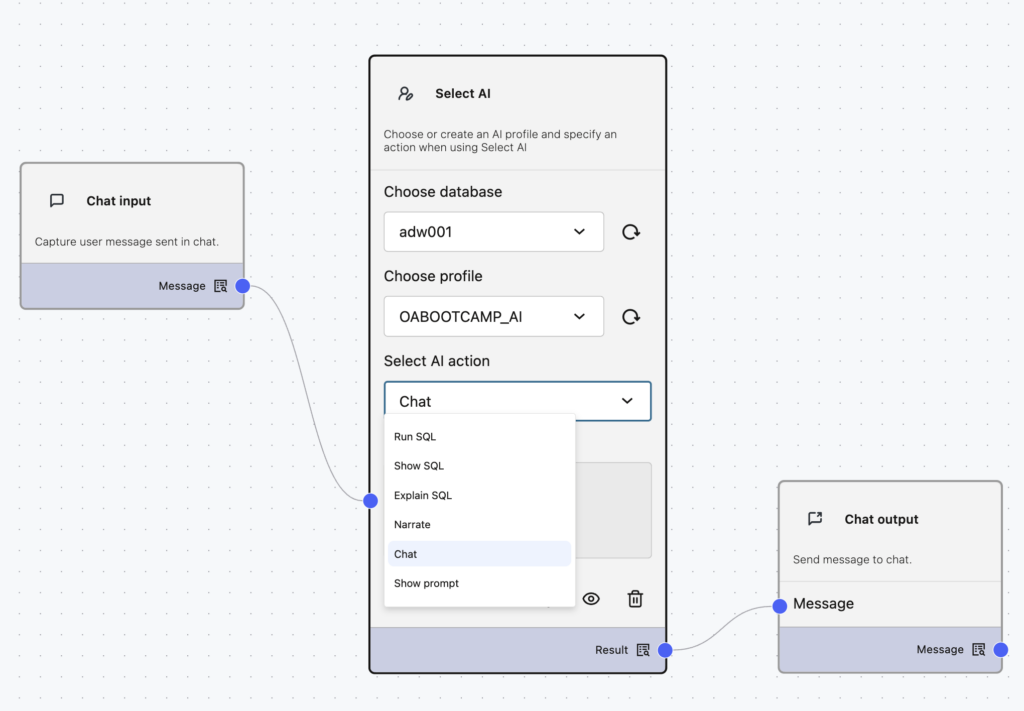
There is no LLM in OPAF in this flow; all the intelligence is the Select AI profile in the database.
| Question | Answer | Time |
|---|---|---|
| Highest profit in 2025 | Store, “about 3.5 million dollars” | ~9 s |
| 2025 vs 2024 comparison | Store, ~3.5 M vs ~2.2 M, increase ~1.28 M; correct winner, but only Store is reported | ~6 s |
| Capital of France | Refused: no valid SELECT could be generated with the enforced object list (message ends with ORA-00900: invalid SQL statement) |
~4 s |
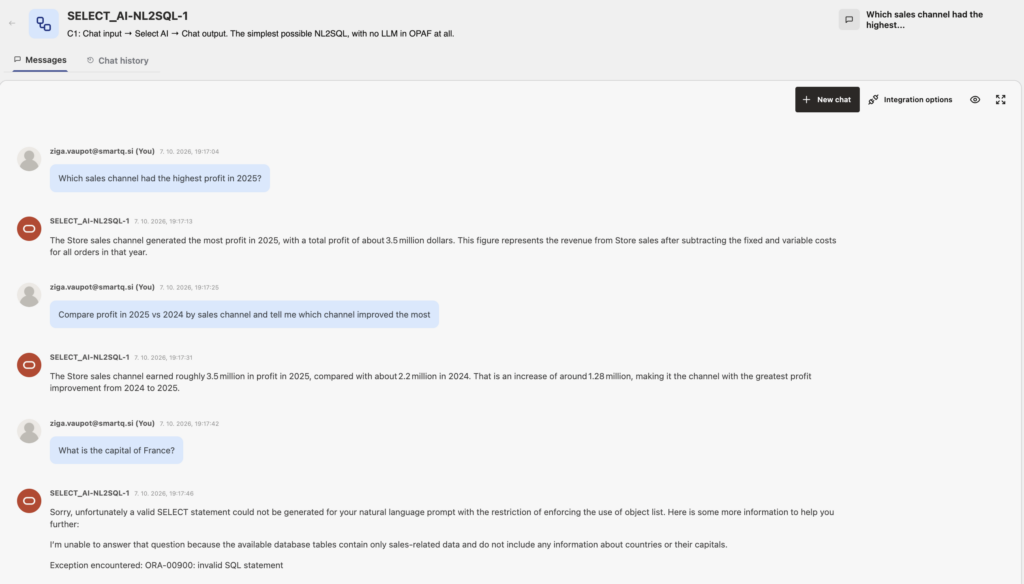
C1 is the fastest of the six flows, and correct, but:
- Narrate rounds numbers and keeps the answer short.
- One question = one SQL statement. For the comparison it still found the winner but did not report all channels; there is no planning step to break the question down.
- The off-topic guardrail comes for free from
enforce_object_listin the profile, though the raw message, including the ORA error, is not demo-friendly.
Flow C2: In-Database Team node
Chat input ──► In-Database Team ──► Chat output- Team: Choose existing
- Choose database:
adw001 - Choose team:
OABOOTCAMP_SALES_TEAM
The node runs the team from Chapter 3 directly. It handles the conversation itself; there is no conversation setting.
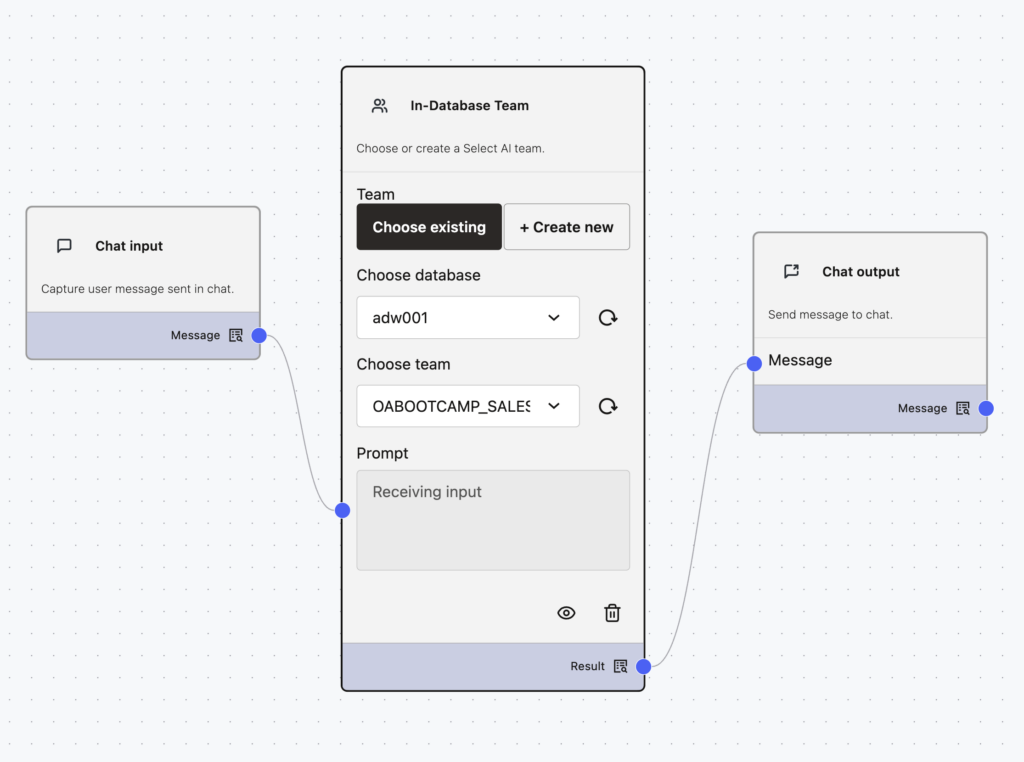
The In-Database Team node also offers Create new, which builds the team from In-Database Agent, Task and Tool nodes on the canvas instead of PL/SQL. That is the topic of Chapter 5.
| Question | Answer | Time |
|---|---|---|
| Highest profit in 2025 | Store, $3,498,467.01 (Online $2,099,559.05; Catalog $1,360,396.31) | ~9 s |
| 2025 vs 2024 comparison | Full year × channel table; Store +$1,275,247.94, Catalog +$660,923.72, Online +$660,737.84; matches ground truth | ~19 s |
| Capital of France | “I’m sorry, but I can only provide answers based on the sales data in the database. …” | ~5 s |
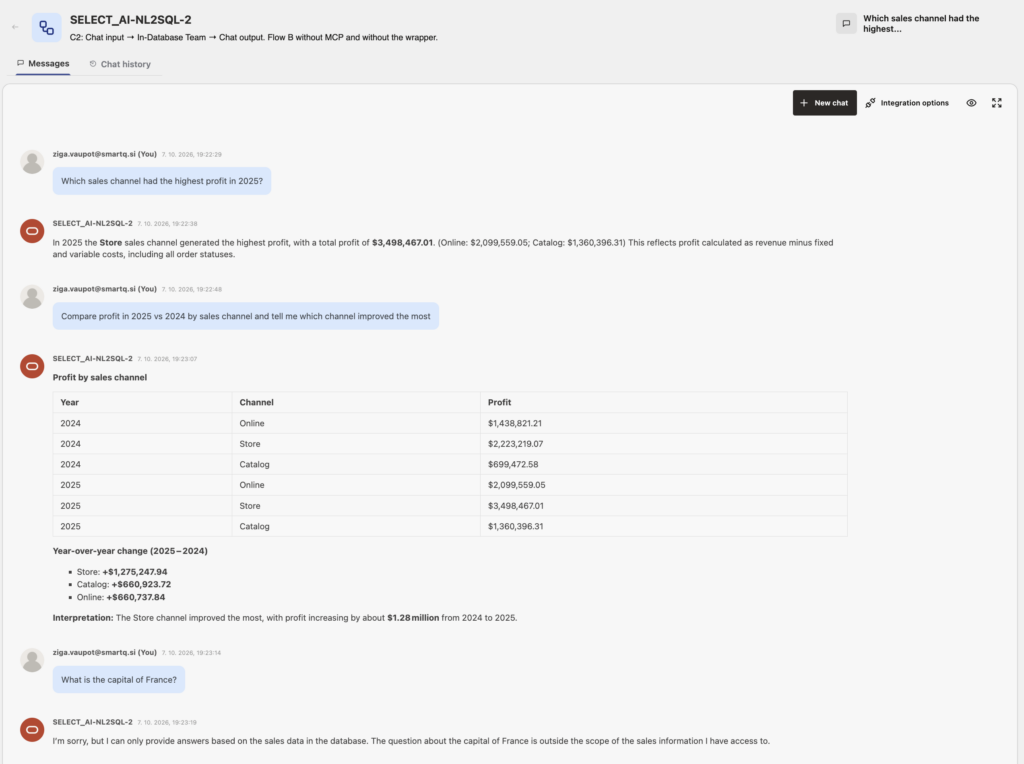
Here the refusal comes from the in-database agent itself: its role (“using data from the sales database only, never from general knowledge”) is enough.
The two nodes show the difference between Select AI and Select AI Agent in one picture: C1 answers in one SQL statement, C2 plans the comparison and reports every channel with exact numbers.
This article was first published on my personal blog, zigavaupot.blogspot.com.